
Hex bit keychain for standard 1/4 inch bits
A hex bit keychain keeps standard 1/4 inch driver bits in a small plastic holder attached to your keyring. The important design choice is the pocket fit around the bit's nominal 6.35 mm hex shank.
Last updated 16 November 2026.
What you are making
A hex bit keychain has hexagonal pockets, a keyring hole and a way to retain the bits. You can set the bit count, spacing, pocket depth and retention method.
For a holder about 50 mm across, use AdderCAD's 1.6 mm FDM minimum-wall starting point from each pocket to the nearest edge. Thin webs between pockets can split.
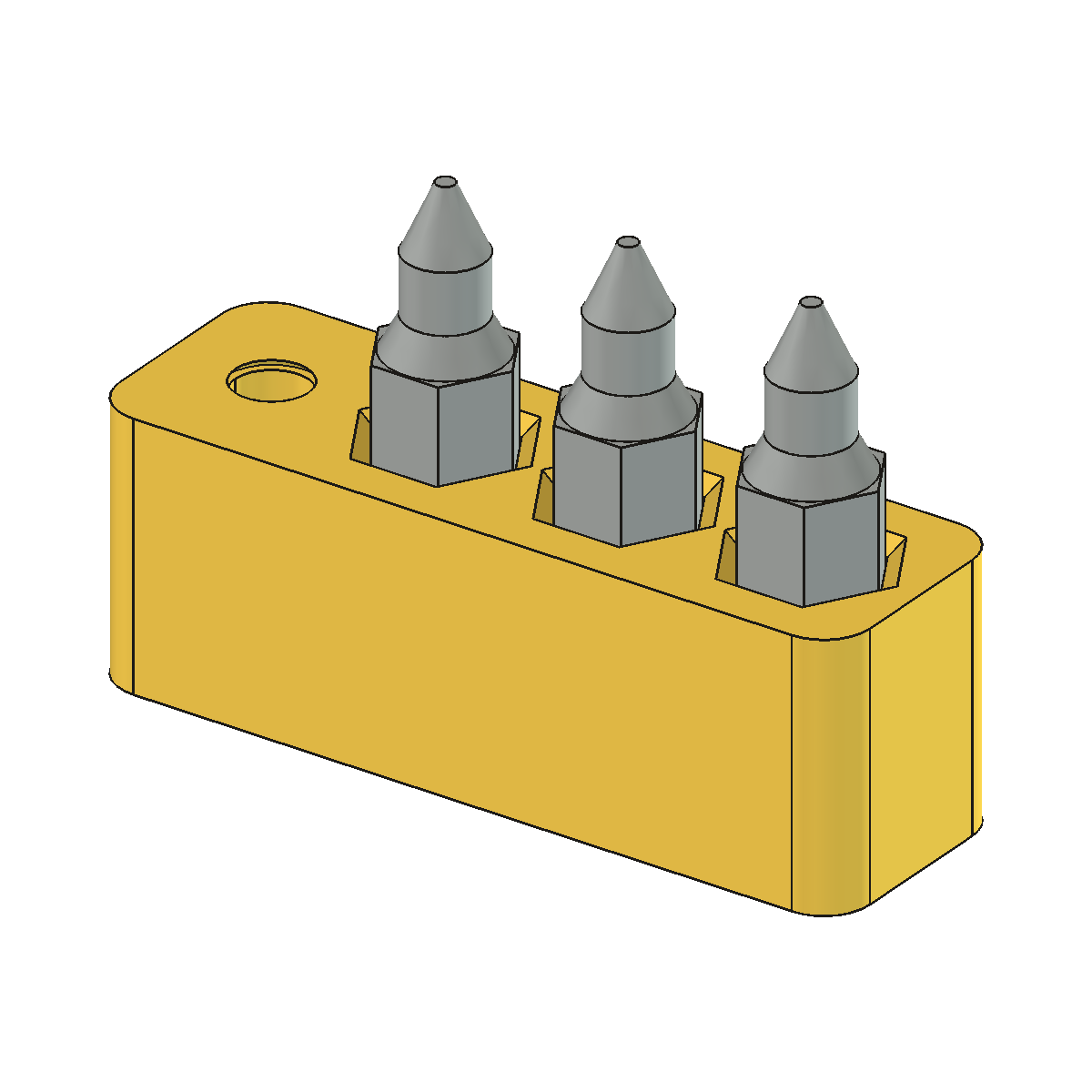
The yellow three-bit holder shown here is a render, not a printed or tested AdderCAD part. The bits are steel and the holder is plastic, so check bit retention and whether the exposed ends are acceptable next to your keys.
The number that matters in a hex bit keychain
A standard 1/4 inch hex bit measures 6.35 mm across opposite flat faces, not opposite corners. The Printables hex driver bit holder gives the size in inches and millimetres in its title.
Impact bits use the same 1/4 inch (6.35 mm) hex shank, so the same nominal pocket fits (per Cults3D listings). Check the wider section above the shank and any retention feature.
How big should the hex pocket be?
Published holders use pockets from 6.5 to 6.6 mm across flats. That is 0.15 to 0.25 mm over a nominal 6.35 mm bit in total, not per side.
| Design or reference | Pocket across flats | Pocket depth |
|---|---|---|
| Nominal 1/4 inch bit, as identified by Printables | 6.35 mm | Not applicable |
| Cadio screwdriver bit holder | 6.5 mm | 18 mm |
| Cults3D tiered organizer | 6.60 mm | 12 mm |
| Print-bench design brief | Editable parameter | About 12 mm |
These examples are not universal fit settings. Mandarin 3D reports that printed holes commonly come out 0.1 to 0.3 mm small. The Rigid Prints tolerance guide gives about ±0.2 mm on small features for PLA on a Bambu A1 or P1S with 0.2 mm layers and default profiles, and ±0.3 mm for PETG. The Protolabs Network FDM guide says vertical holes print undersized and recommends drilling critical diameters when necessary.
The hex pocket is also a useful example of why a dimensioned CAD model differs from a mesh: changing the across-flats parameter changes the fit without redesigning the whole holder.
Describe the holder and keep the fit editable
Describe the shank, bit count and keyring attachment. AdderCAD Studio writes CAD code that builds a B-rep solid, with numeric parameters exposed as sliders. See how text to CAD for 3D printing works for the full process.
Example prompt: "Keychain holder for three 1/4 inch hex bits, 6.6 mm across-flats pockets, 12 mm deep, with a reinforced keyring hole."
Make pocket size, depth, bit count, wall and ring-hole size editable. Slider changes rebuild in the browser without another AI request. Export STL or 3MF for your slicer, or STEP for further CAD work.
The same approach works for a bench holder. AdderCAD's home screen includes this example:
Example prompt: "Hex bit holder for 12 bits, 1/4 inch shank"
Choose how the bits stay in place
A close hex pocket is simplest, but make it too tight and you can't get the bit out. A printed spring arm needs room to flex. Cults3D listings use TPU 95A or 6 x 2 mm magnets; the magnets need a secure seat. Nominal pocket dimensions alone do not ensure retention.
Around the keyring hole, keep at least the minimum wall for your process. AdderCAD's FDM starting point is 1.6 mm on a part about 50 mm across, based on the JLC3DP design guideline. A loaded attachment may need more material.
Check the geometry before printing
AdderCAD checks bed fit, reports wall thickness, flags steep overhangs and ranks orientations by support need. Its default FDM overhang angle is 45 degrees. Review the pockets and keyring hole in your intended print orientation.
Hole sizes are approximations or design values, not measurements of your future print. The checks cannot predict material shrinkage or printer calibration, and do not guarantee fit.
Test-print one pocket first
Print a coupon with two or three pocket sizes drawn from the published range above, such as 6.5, 6.55 and 6.6 mm across flats. Use the final holder's orientation and relevant slicer settings. Try your actual bits and judge insertion and removal.
Set the pocket slider to the size that worked, then check the keyring attachment. You find the right size in a small print instead of reprinting the whole holder.
AdderCAD is pre-launch, and complex designs can need several tries. Keep the first version simple and let the coupon settle the fit.